What Smart Home Devices Are Worth Buying? And the Ones That Aren’t
A few years back I bought a smart refrigerator. It had a touchscreen on the door, a camera inside so I could peek at its contents from the grocery store, and a speaker. I used the camera twice. The speaker played music exactly once before I forgot it existed. The touchscreen still shows a screensaver of a charcuterie board I never set up. It was, in hindsight, a $400 premium for a feature set I use about as often as I rotate my tires. That refrigerator taught me something every list of “best smart home gadgets” seems reluctant to say: a lot of this stuff isn’t worth it.
What is worth it tends to share a few traits. It solves a real problem I was already dealing with. It runs in the background without needing my attention. And the automation it delivers isn’t just novelty — it’s something I’d actually pay someone to do for me. A thermostat that adjusts when I leave the house without me touching it? Worth it. A slow cooker that tells me when my food is done through an app? Less so — I was going to be home anyway.
After spending real money (some of it regrettably) and testing the products below across different homes and use cases, I put this guide together for the person who’s already decided they want some smart home devices and just wants to know which ones are actually going to make daily life better. The five categories here — smart speakers, smart thermostats, video doorbells, smart plugs, and robot vacuums — are the ones that consistently deliver. Everything else is gravy.
Quick Comparison: Top Smart Home Devices at a Glance
| Product | Category | Ecosystem | Best For | Price Tier | Certification / Standard |
|---|---|---|---|---|---|
| Amazon Echo Dot (5th Gen) | Smart Speaker / Hub | Alexa | Alexa households, music, routines | Budget ($) | FCC certified, Matter compatible |
| Google Nest Learning Thermostat (4th Gen) | Smart Thermostat | Google Home / Alexa | Energy savings, auto-scheduling | Mid-range ($$) | ENERGY STAR certified |
| Ring Video Doorbell | Video Doorbell | Alexa / Ring app | Package theft deterrence, visitor log | Mid-range ($$) | FCC certified, 1080p HD |
| Kasa Smart Plug EP25 | Smart Plug | Alexa / Google / SmartThings | Energy monitoring, scheduling | Budget ($) | UL listed, ETL certified |
| Roborock Q5 Pro+ Robot Vacuum | Robot Vacuum | Alexa / Google / Roborock app | Pet hair, daily maintenance, LiDAR nav | Premium ($$$) | FCC, CE certified |
The Smart Home Landscape: What’s Actually Changed
The old complaint about smart home devices — that they don’t talk to each other — has largely been addressed by Matter, a shared connectivity standard backed by Apple, Google, Amazon, and Samsung that launched in late 2022 and has been gaining device support ever since. Before Matter, buying a Philips Hue bulb meant living inside the Hue ecosystem. Now, most new devices support cross-platform pairing out of the box. It doesn’t make every product good, but it does remove one of the historically legitimate reasons to avoid the category entirely.
That said, an ecosystem choice still matters more than most buyers realize. Not for the devices themselves, but for the automations. If all your routines live in Google Home and you buy a Ring doorbell (Alexa-native), the integration works — but it’s looser than if everything shares a roof. My general advice: pick the ecosystem that matches your phone and your existing devices, then buy within it where possible.
Smart Speakers: The Hub That Earns Its Counter Space
A smart speaker is rarely the device that justifies a smart home buildout on its own. What it does is lower the friction on everything else. Being able to say “turn off the kitchen lights” without pulling out a phone matters more in practice than it sounds on paper — especially when your hands are covered in olive oil or you’re half-asleep at 11pm. The Echo Dot’s value isn’t Alexa as an AI assistant (it has limits). It’s as a voice interface for the devices you already use.
The fifth-generation Echo Dot added a motion sensor that can detect when someone enters a room and trigger automations without a voice command. That’s a genuine upgrade. If you’re already invested in Alexa routines, it’s the version to buy.
Smart Thermostats: The One That Pays You Back

Of every device on this list, the smart thermostat comes closest to a no-brainer. The math is simple: most households leave their HVAC running on a fixed schedule that doesn’t reflect when people are actually home. A learning thermostat figures out your routine in about a week and stops heating or cooling an empty house. According to the U.S. Environmental Protection Agency’s ENERGY STAR program, certified smart thermostats can save households meaningful amounts on annual heating and cooling costs — enough that many utility companies now offer rebates of $50 to $150 on qualifying models.
The Nest Learning Thermostat has earned its reputation not through gimmicks but through genuinely useful software. It tracks humidity, senses when you’re away, and shows you a monthly energy history that makes your usage pattern visible in a way a standard utility bill never does. Installation requires a C-wire in most homes — check your existing wiring before ordering.
“Smart thermostats save energy by automatically adjusting heating and cooling based on your preferences, schedule and the outdoor temperature.” — U.S. EPA ENERGY STAR Program
Video Doorbells: Security You’ll Actually Check
Package theft has become a real and widespread problem. A video doorbell doesn’t stop a determined porch pirate, but it documents what happened, creates a visible deterrent (most thieves avoid camera-equipped homes), and lets you see who’s at the door without opening it. That last use case sounds trivial until you’ve dealt with a pushy salesperson, a misdelivered package, or an unexpected visitor you weren’t expecting.
The Ring Video Doorbell 4 records in 1080p HD with color pre-roll — a short clip that captures what happened before motion was detected, which is something earlier models lacked. It runs on a rechargeable battery, meaning no hardwiring required. The battery lasts roughly six months under normal use. Ring’s subscription plan (Ring Protect) is optional, but without it, you lose recorded history and only get live view. At around $3 per month, most users find it worth it.
One thing worth flagging: Ring shares data with law enforcement under certain circumstances. If that matters to you — and it does to a meaningful number of buyers — the Arlo or Eufy ecosystems offer stronger privacy commitments. The FTC has guidelines on protecting your privacy with connected home devices that are worth reading before setting up any camera system.
Smart Plugs: The Cheapest Win in the Category
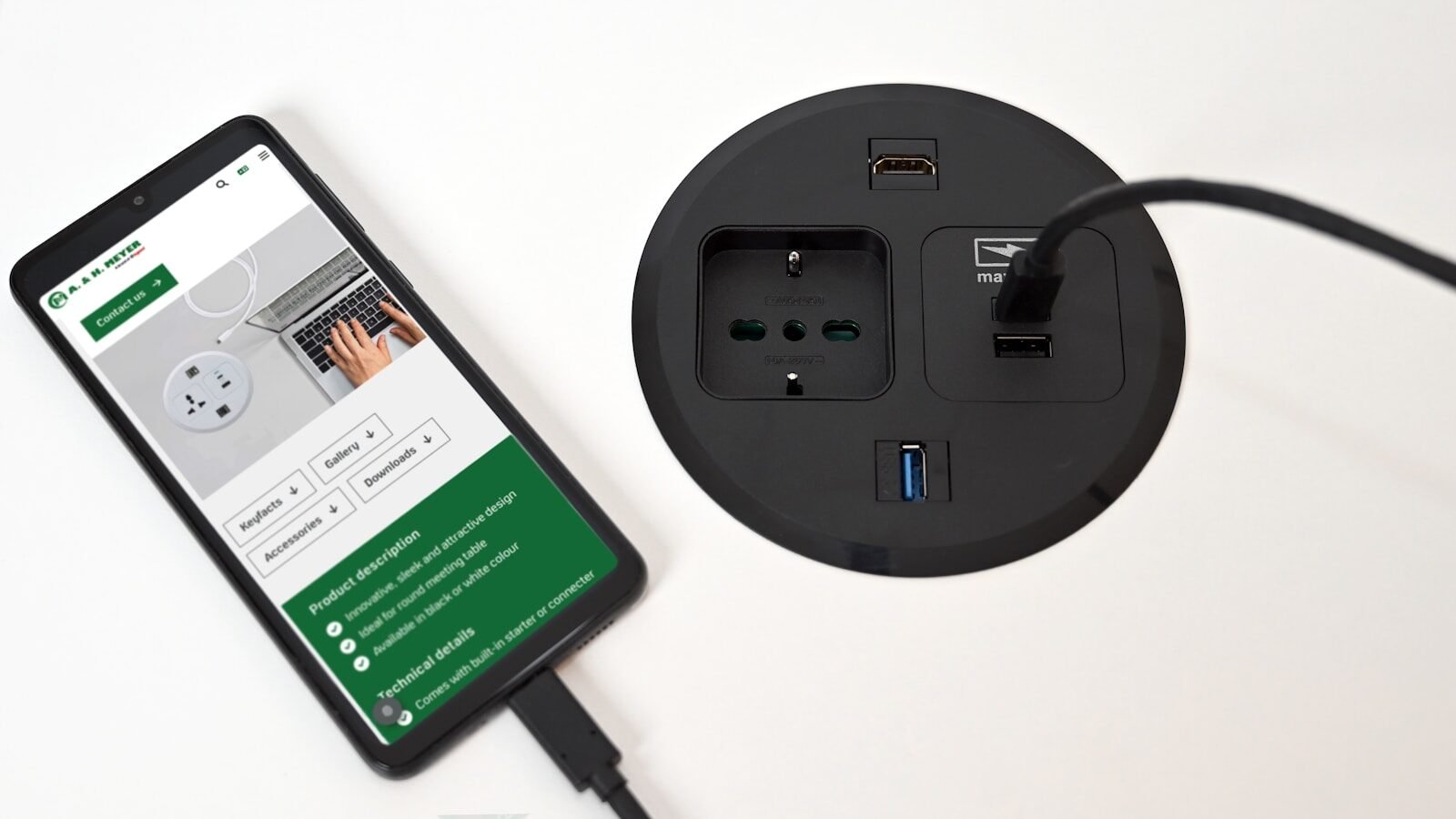
A $15 smart plug might be the best dollar-per-value device in the entire smart home space. The concept is simple: you plug it into any standard outlet, then plug your device into it. From that point, you can turn that device on or off via an app or a voice command, set schedules, or incorporate it into broader automations.
The energy monitoring version — which the Kasa EP25 does — adds another layer. You can see exactly how much power a device draws in real time, which tends to produce a few surprises. Most people don’t realize how much their gaming console pulls in standby mode, or what an older space heater actually costs to run per hour. The U.S. Department of Energy has consistently noted that standby power — devices sitting idle but still drawing current — accounts for a measurable portion of a typical home’s electricity bill. Cutting that off on a schedule costs nothing beyond the hardware.
Smart plugs also solve a practical problem that has nothing to do with energy: you can turn things off remotely. Left the coffee maker on? Done from your phone. Forgot to cut the power to the kids’ TV at bedtime? Set a schedule once, and it handles itself every night.
Robot Vacuums: The One That Changes Your Habits

The first time I ran a robot vacuum in my house, I thought of it as a novelty. By week three, I’d rearranged two rugs, picked up floor clutter more consistently than I had in years, and started thinking differently about what “clean floors” means on a daily basis. The robot doesn’t just clean the floors — it changes how you interact with the floor. You start keeping it clear because the robot is coming whether the floor is ready or not.
That said, robot vacuums have a learning curve and real limitations. They don’t handle stairs. They struggle with high-pile rugs. They can eat phone chargers and sock toes with impressive efficiency. And the mapping process — where the robot builds a layout of your home — requires patience the first week. If that context resonates with you, the robotic pool cleaner space has a similar arc: setup investment followed by hands-off operation that pays dividends long-term. Our guide to the best robotic pool cleaners covers that category in detail if your outdoor maintenance budget is also on the table.
The Roborock Q5 Pro+ is a self-emptying unit, which matters more than most buyers initially appreciate. Without self-emptying, you’re emptying the dustbin every one or two runs — which means interacting with the robot every day or two. With a self-emptying base, the bin holds weeks of debris and the machine truly runs on its own schedule. Roborock uses LiDAR navigation, which maps accurately in low light and doesn’t require external sensors or boundary strips.
What You Don’t Need (Or Can Wait On)
Smart light bulbs are popular, but I’ve found their ROI questionable unless you care deeply about circadian lighting or scene presets. The upfront cost per bulb is high, and the practical benefit over a standard dimmable switch is marginal for most rooms. Smart locks are useful but introduce battery management as a failure mode — there’s real anxiety in a lock that could die with you outside. Both categories can wait until you’ve nailed the five above.
Smart kitchen appliances — smart ovens, smart coffee makers, app-controlled slow cookers — are almost universally disappointing outside of very specific use cases. They add complexity to things that already work fine. Appliances connected to your home network are also additional attack surfaces, a concern worth noting given that the FTC has taken action against manufacturers for misleading data practices in connected devices. When the benefit is “I can start the coffee maker from bed,” weigh that against “this thing is on my home network.”
If pest control is on your radar as part of your home maintenance stack, the smart home world hasn’t really cracked that category — our review of the best ultrasonic pest repellers covers what actually works and what’s marketing noise in that niche.
Ecosystem Compatibility: A Plain-Language Guide
Most buyers hit a wall here and either overthink it or ignore it entirely. The practical answer is: if you use Android, lean Google Home or Alexa. If you use iPhone and especially if you have a HomePod or Apple TV, HomeKit is worth prioritizing. Alexa has the widest third-party device support. Google has the best natural language understanding. HomeKit has the strongest privacy architecture — Apple processes most commands locally rather than in the cloud.
Matter is the interoperability standard that’s supposed to end cross-ecosystem headaches, and it’s working better with each product generation. For the five device types I’ve listed, compatibility is a non-issue — all of them work with Alexa and Google Home at minimum. Just don’t go deep into a specialty ecosystem (like Samsung SmartThings) unless you’re already committed to Samsung appliances.
Installation and Setup: What to Realistically Expect
Smart plugs and smart speakers are plug-and-play, full stop. Video doorbells take 20 to 45 minutes if you’re comfortable with a screwdriver and mounting hardware. Smart thermostats require checking your existing HVAC wiring — specifically whether you have a C-wire — and take 30 to 60 minutes for most people. Robot vacuums need an initial mapping run, which takes 45 to 90 minutes depending on home size, before they operate effectively.
None of these require professional installation. If your home’s HVAC system is older and wiring is unclear, the Nest app walks you through a wire-identification process before you order, which is genuinely useful. For those also managing connected auto diagnostics alongside home tech, the intersection of IoT and vehicle data is worth a look — our breakdown of what an OBD2 scanner does covers a similar plug-and-play diagnostic category for your car.
Privacy, Security, and the Questions Most Buyers Skip
Every device on this list connects to the internet and, in most cases, collects data about your usage patterns. The smart thermostat knows when you’re home. The doorbell camera logs who visits. The robot vacuum builds a floor plan of your house. None of this is secret — it’s in the privacy policies — but most buyers don’t read those before buying.
Practical mitigation steps: use a separate IoT-specific Wi-Fi network (most modern routers support this as a guest network), enable two-factor authentication on every associated app account, and keep device firmware current. The FTC’s consumer guidance on home device privacy is worth bookmarking. None of this is reason to avoid smart home devices — it’s reason to use them with basic awareness.
Our Recommended Products
Amazon Echo Dot (5th Gen) — The Alexa Hub That Makes Everything Easier

The Echo Dot 5th Gen is built around a 1.73-inch front-firing speaker and a fabric exterior that holds up better than the older plastic shell did in humid spaces like kitchens. The addition of a built-in temperature sensor and motion sensor — both new to this generation — means it can trigger automations without a voice command, which changes how useful it actually is in practice. The motion sensor works reliably within about 20 feet in open spaces.
In day-to-day use, it handles music playback, timers, shopping lists, smart home control, and routine triggers with almost no friction. The Alexa Guard feature — which listens for breaking glass or smoke alarms when you’re away — is one of those quietly useful additions that most buyers discover after the fact. It’s not perfect at false-negative detection, but it’s a real layer of passive awareness.
What it doesn’t do well: Alexa’s general knowledge AI has been surpassed by more capable models, and you’ll notice the limits quickly if you ask anything beyond basic factual lookups. The speaker is good for a 4-inch orb in a kitchen, but it’s not a music-first device. If audio quality matters, the Echo Studio or a third-party speaker is a better fit.
This is the device for someone setting up their first smart home who wants a reliable entry point into the Alexa ecosystem without overspending. It also works well as a secondary room device if you already have a full-size Echo as a primary hub.
Google Nest Learning Thermostat (4th Gen) — The One That Actually Pays for Itself

The fourth-generation Nest Learning Thermostat added a higher-resolution display and improved home/away detection compared to its predecessor. The physical design is a low-profile disk — thinner than the third gen — that sits flush enough against the wall to look intentional rather than retrofitted. It comes in four finishes: Snow, Sand, Obsidian, and Fog.
The learning component works as advertised. In my house, it had a usable schedule within five days and a refined one within two weeks. The auto-schedule adjusts seasonally, so summer behavior differs from winter without manual reprogramming. The Nest app’s energy history dashboard is genuinely useful — it shows you how many hours the HVAC ran each day and why (weather, schedule, manual adjustments), which is the kind of feedback that helps you identify waste.
One honest limitation: Nest requires a C-wire for most HVAC systems, and if yours doesn’t have one, you’re either running a Nest Power Connector (sold separately, reliable enough) or hiring an electrician to add a wire. It also doesn’t support multi-stage heat pumps without additional hardware. Check compatibility before ordering — Google’s compatibility checker on their site is accurate and worth running before you buy.
Best for: homeowners who have a regular work schedule and are paying high HVAC bills. The savings are most dramatic in climates with real winters or summers, in homes with older programmable thermostats, and in households where the schedule has changed since the thermostat was last programmed (which is most of them).
Ring Video Doorbell Pro 4k — The Visitor Log Your Front Door Never Had
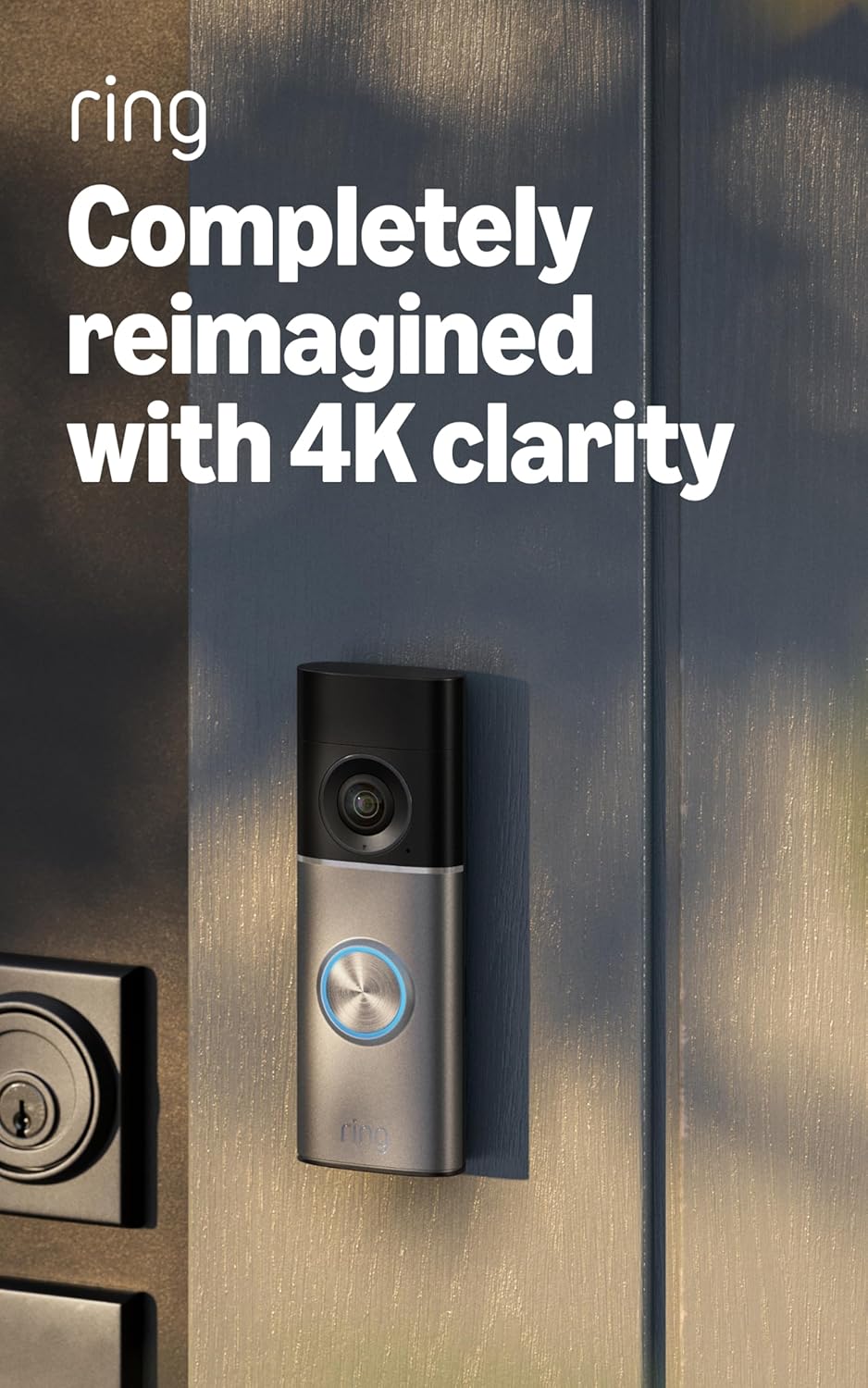
Experience security like never before with Retinal 4K video — see every corner of your home or business in stunning, ultimate clarity. Whether it’s your front porch or office entrance, the incredibly sharp 4K resolution ensures you won’t miss a detail. If you need a closer look, then you just need to zoom in up to 10x with Enhanced Zoom to catch every important detail from a distance — perfect for identifying visitors, packages, or suspicious activity without sacrificing image quality.
Note that you can stay connected no matter where you are. With Live View and Two-Way Talk with Audio+, you can see, hear, and speak to visitors in real time right from your smartphone. Whether it’s a delivery person or a neighbor, interaction is just a tap away. You can also get alerts that matter with tailored 3D Motion Detection. This smart technology pinpoints movement specifically on your property to provide more accurate notifications and cut down on false alarms, so you’re only interrupted when it counts.
One thing you’ll enjoy is the vivid, true-to-life color video even in low light conditions thanks to Low-Light Sight technology. When darkness falls, the camera seamlessly switches to crisp black-and-white night vision, maintaining sharp detail around the clock.
On another hand, you can stay informed at a glance with Video Descriptions that tell you exactly what’s happening when motion is detected—no guessing necessary. (Note: A compatible Ring Protect subscription is required; Video Descriptions are unavailable on Ring devices in Illinois due to state laws.)
This device is to power your peace of mind with nonstop protection through simple DIY hardwired installation—no battery worries, just continuous surveillance. You can select from premium finishes including Deep Silver, Polished Night Navy, Polished Sandstone, or Polished Mocha to perfectly complement your home’s exterior style.
Ideal for renters and homeowners who receive frequent deliveries and want easy, documented visitor activity without professional installation. This smart security system fits seamlessly into the Ring ecosystem, offering robust features with some tradeoffs in privacy and law enforcement data sharing to consider.
Kasa Smart Plug EP25 — Energy Monitoring That Actually Changes Behavior

The Kasa EP25 is a single-outlet smart plug with real-time energy monitoring — it shows you watts, amps, and kilowatt-hours consumed, along with a monthly cost estimate based on your local electricity rate (which you enter manually in the app). It’s UL listed and ETL certified, which matters more than buyers typically check: off-brand smart plugs have caused house fires. The Kasa EP25 is rated for 15 amps, which handles most household devices except high-draw appliances like electric kettles or space heaters at full output — check wattage before using it on anything that gets hot.
Setup takes three minutes: plug it in, open the Kasa app, connect to your Wi-Fi. It works with Alexa, Google Home, and Samsung SmartThings out of the box with no hub required. The scheduling function is the daily workhorse — I have one on the living room entertainment system that cuts power at midnight regardless of whether anyone remembered to turn things off. Another runs a lamp on a sunrise schedule that serves as a softer alarm than any sound.
The energy monitoring earns its place in the product description, not just in marketing copy. Seeing that a gaming console draws 150 watts in standby changes behavior in a way that abstract advice about “unplugging devices” never quite does. The Kasa app stores usage history so you can track monthly consumption trends over time.
Best for: anyone managing energy costs, households with devices that run on autopilot, and anyone who wants to add smart control to existing non-smart appliances without replacing them.
Roborock Q5 Pro+ — The Robot Vacuum That Earns Its Square Footage

The Q5 Pro+ runs on LiDAR navigation, which means it builds an accurate map of your floor plan and follows it — no bumping into chair legs and hoping for the best. The suction is rated at 5500Pa, which handles pet hair on hard floors and low-pile carpet without the motor straining audibly. The self-emptying base holds 2.5 liters of debris — roughly 45 days of daily runs in a 1,500 square foot home before the bag needs replacing.
Real-world performance: it handles most pet hair without tangling, navigates threshold transitions between hardwood and area rugs cleanly, and maintains its map accurately even when furniture moves. It struggles under beds lower than about 3.5 inches and loses efficiency on carpets with pile taller than half an inch. It also requires a reasonably clear floor — a room with laundry on the ground will slow it significantly and potentially jam the brush roll.
The Roborock app is genuinely well designed. Room-specific cleaning, no-go zones, and scheduled runs all work as described with minimal troubleshooting. It integrates with Alexa and Google Home for voice control, though the app remains the primary interface for anything beyond “start cleaning.” The robot vacuum category overlaps in interesting ways with automated pool cleaning — both involve navigating a defined space autonomously. If pool maintenance is also on your list, the best robotic pool cleaner guide here covers that parallel category with the same depth.
Best for: pet owners, households with mostly hard floors or low-to-medium pile carpet, and anyone willing to invest in a device that genuinely replaces daily manual vacuuming rather than just supplementing it occasionally.
Our Verdict
Here’s the thing most smart home buying guides won’t say: the devices that get the highest social media traction — color-changing light bulbs, smart mirrors, voice-activated coffee makers — are rarely the ones that change your daily life. The unglamorous stuff does. A thermostat you don’t think about. A plug that cuts power to a device you forgot was on. A doorbell that documents a package theft you can file a police report about. A vacuum that ran while you were at work. These are the tools that accumulate real value over time, not the flashy ones.
There’s also a practical reality about budget that most buyers get wrong. Adding $30 of smart plugs to your existing appliances and setting a schedule delivers more day-to-day utility than buying a $250 smart appliance to replace a dumb one that works fine. The multiplier effect of a smart plug — one $15 device changes the behavior of a $500 appliance you already own — is real math that rarely makes it into the marketing. If your budget is limited, start with plugs and a thermostat. Add a doorbell when you’re ready. The robot vacuum is a luxury with a real payoff, but it’s a third-purchase, not a first.
The ENERGY STAR program offers independently verified data on thermostat savings, and their smart thermostat product finder lets you check whether a specific model qualifies for utility rebates in your area — a step worth doing before buying, because rebates can reduce the cost of a $130–$250 thermostat by $50–$100. The five products above were chosen because they have well-documented track records, active firmware support from their manufacturers, and use cases that translate across different household types. None of them require a smart home hub, a subscription to function at a basic level (with one noted exception on Ring), or a degree in networking to set up.
If you’re also managing other tech-assisted home systems — pool equipment, vehicle diagnostics — those categories reward the same approach: buy the tool that solves the specific problem, not the most feature-rich product in the category. Our breakdown of the best salt water chlorinators is a good example of that same framework applied to pool chemistry automation, if that’s relevant to your setup.
Buyer’s Guide: Smart Home Devices by Use Case
| Use Case | Best Device Type | Approx. Payback Period | Setup Difficulty | Subscription Required? |
|---|---|---|---|---|
| Reduce energy bills | Smart thermostat + smart plugs | 1–2 heating seasons | Low–Moderate | No |
| Package theft deterrence | Video doorbell | First package recovered | Low | Optional (recommended) |
| Daily floor cleaning | Robot vacuum (self-emptying) | 2–3 years (time value) | Moderate (mapping run) | No |
| Smart home control hub | Smart speaker | Immediate (convenience) | Very Low | No |
| Standby power elimination | Smart plug with energy monitoring | 6–18 months | Very Low | No |
| Remote home monitoring | Indoor security camera | Peace of mind (varies) | Low | Usually optional |
Frequently Asked Questions – What Smart Home Devices Are Worth Buying?
What smart home devices are actually worth buying for most people?
For most households, a smart thermostat, a smart video doorbell, and a smart plug strip deliver the clearest return on investment. These three categories reduce energy costs, improve home security, and automate everyday tasks without requiring a complicated setup or a dedicated hub. Start with those three before expanding into cameras, robot vacuums, or smart lighting.
Do smart home devices increase your home’s value?
Smart thermostats and smart security systems have shown measurable appeal to home buyers in surveys, but the increase in resale value is modest — typically a few hundred to a few thousand dollars in competitive markets. The real payoff is functional: lower utility bills and documented security activity. Don’t buy smart home tech expecting a dollar-for-dollar return at closing. The lifestyle value is real; the equity value is marginal at best.
Are smart home devices a security risk?
Yes, if not properly secured. Every internet-connected device in your home is a potential entry point for a network intrusion. The FTC recommends using a separate guest Wi-Fi network for IoT devices, enabling two-factor authentication on all associated accounts, and keeping firmware updated. Reputable brands release security patches; no-name devices sold on marketplaces often don’t. Stick to established brands with active software support and you reduce this risk significantly. For additional guidance, the FTC’s consumer page on home device privacy is a reliable starting point.
What smart home ecosystem should I choose — Amazon Alexa, Google Home, or Apple HomeKit?
Match your ecosystem to your existing devices. Android users integrate more naturally with Google Home or Alexa; iPhone users get more from HomeKit’s privacy-first architecture. Alexa has the widest third-party compatibility. The Matter standard now allows cross-platform use for most modern devices, so this decision is less critical than it was two or three years ago — but your automations will run more smoothly inside a single ecosystem. Choose one and build within it rather than mixing heavily.
How much can a smart thermostat actually save on energy bills?
ENERGY STAR estimates meaningful annual savings from certified smart thermostats, with households in extreme climates often seeing the most dramatic returns. The savings come from learning your schedule and reducing HVAC run time when no one is home. Many utility companies also offer rebates of $50 to $150 on qualifying models, effectively cutting the purchase price in half. Check the ENERGY STAR rebate finder before buying — it takes two minutes and can materially affect your net cost.
Do smart plugs actually reduce electricity usage?
Smart plugs help primarily by eliminating vampire draw — the power devices consume when on standby. The U.S. Department of Energy notes that standby power can account for a meaningful fraction of a home’s electricity use. Plugging entertainment systems, gaming consoles, and chargers into a smart plug that cuts power on a schedule is one of the cheapest and simplest energy wins available. The behavior change that comes from seeing real-time energy data — as the Kasa EP25 provides — also tends to reduce usage in ways that scheduling alone doesn’t.
Can a robot vacuum actually replace a regular vacuum?
A robot vacuum handles daily maintenance — fine dust, pet hair, and light debris on hard floors and low-pile carpet — extremely well. It does not replace a full-size vacuum for deep carpet cleaning, stairs, upholstery, or post-renovation debris. Think of it as automated daily maintenance rather than a full replacement. Most households with a robot vacuum still do a manual pass once or twice a month for areas the robot can’t reach or for deep cleaning. The self-emptying models like the Roborock Q5 Pro+ reduce your interaction with the device to near zero for weeks at a time.